For streamers, built by streamers.

Pick the link
people will remember.

Free forever. No card.

Put your link on

  • TikTok
  • Twitch
  • YouTube
  • Kick
  • Instagram
  • Discord

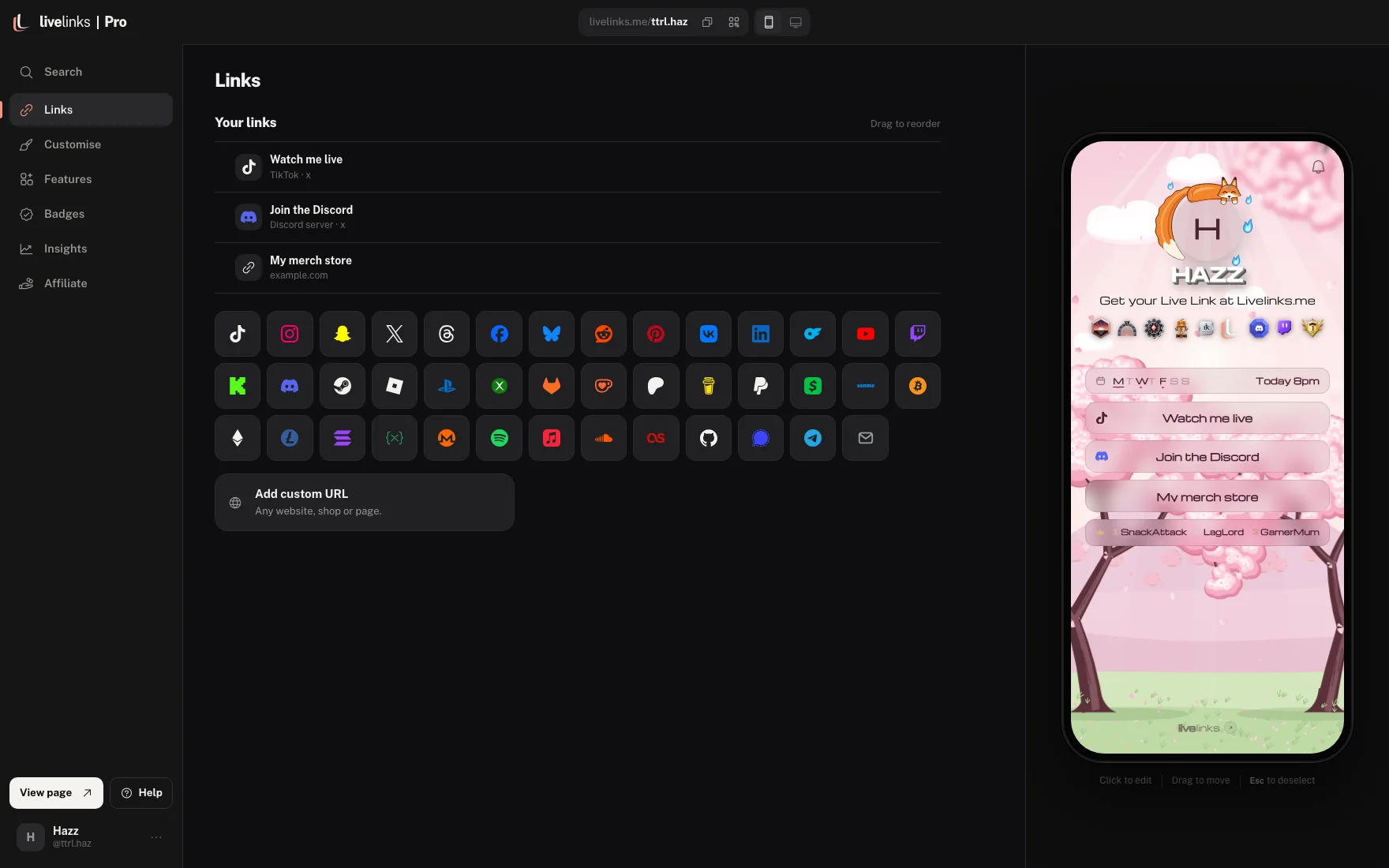
Change it, see it, save it.

Everything you change shows on the phone beside you straight away. There is nothing to install and no code to write.

The livelinks editor: a streamer's links on the left and their page on a phone beside it

Pricing

Almost all of it is free. Pro adds the extras, and is invite only while we keep an eye on it.

Free

£0forever

Everything you need for a page people remember.

  • Your own livelinks.me link
  • Buttons for 50+ platforms
  • 36 moving backgrounds
  • 200+ fonts and name effects
  • Full button styling
  • Live notifications for viewers
  • Discord and Twitch badges
  • A QR code for your page
  • Views, clicks and top links
  • Up to 3 badges
Get your link

Pro

£2.49a month

Or £12.99 once and it is yours for good. Paying is not switched on yet.

Everything in Free, plus:

  • 24 animated avatar decorations
  • 10 3D car backgrounds
  • Link animations
  • A song that plays on your page
  • Typing bio and entry screen
  • Advanced insights and export
  • Unlimited badges, and your own
  • No watermark
Have an invite code?

Pro is invite only while we finish setting payments up. Apply for Pro and we will send you a code.

Are you a streamer? Apply for Pro

Questions

Is it really free?

Yes. Your link, your page, 36 moving backgrounds, all the fonts and button styling, live notifications, connected accounts and your QR code are free, with no card needed. Pro adds the extras listed under Pricing.

What's in Pro?

Pro adds 24 animated avatar decorations, 3D car backgrounds, link animations, a song that plays on your page, a typing bio, an entry screen, advanced insights, unlimited badges and your own badges, and lets you hide the livelinks watermark. It's invite-only for now: if you've been given a code, enter it at sign-up or in Settings, or apply for Pro.

Does it work in my TikTok bio?

Yes. Paste your livelinks.me link into the Website field on TikTok, or into Twitch, Instagram and anywhere else that takes a link.

Will the moving backgrounds slow my page down?

No. They're drawn by the phone's graphics chip and ease off on older phones, so the page stays smooth. Viewers who turn off motion see a still version.

Can I change my link name later?

Yes, as long as the new name isn't taken. Remember to update your bios when you do.

Do my changes go live straight away?

They go live when you press Save, or straight away if you switch on Auto save in Settings. If you try to leave with unsaved changes, the editor asks first.

Can I hide my page from under 18s?

Yes. Turn on the 18+ warning in settings and visitors confirm their age before they see your page.

What do I get for connecting Discord or Twitch?

Each one can bring in your profile picture, and each gives you its own verified badge that doesn't count towards the free 3. Connect them in Settings, under Connectors.

How does the QR code work?

When someone opens your page on a computer, a QR button sits in the corner. They scan it with their phone to open your page there. You can download your own QR from the editor for posters, overlays and stream screens.

Can I see who's tapping my links?

You can see how many people viewed your page, how many tapped, and which buttons got tapped most. We don't show who they are.

Can't find yours? Email us